Claim Tax Collected at Source
When you make high-value purchases—like buying a car or booking an international trip—you might notice an additional charge on your bill labeled Tax Collected at Source (TCS). This amount is collected by the seller and deposited with the Income Tax Department under your PAN. It’s a way to ensure that individuals making significant purchases are reporting their income and taxes accurately.
Steps to update Tax Collectedted at Source
There are three ways to add the TCS:
Import from ITD using Autofill
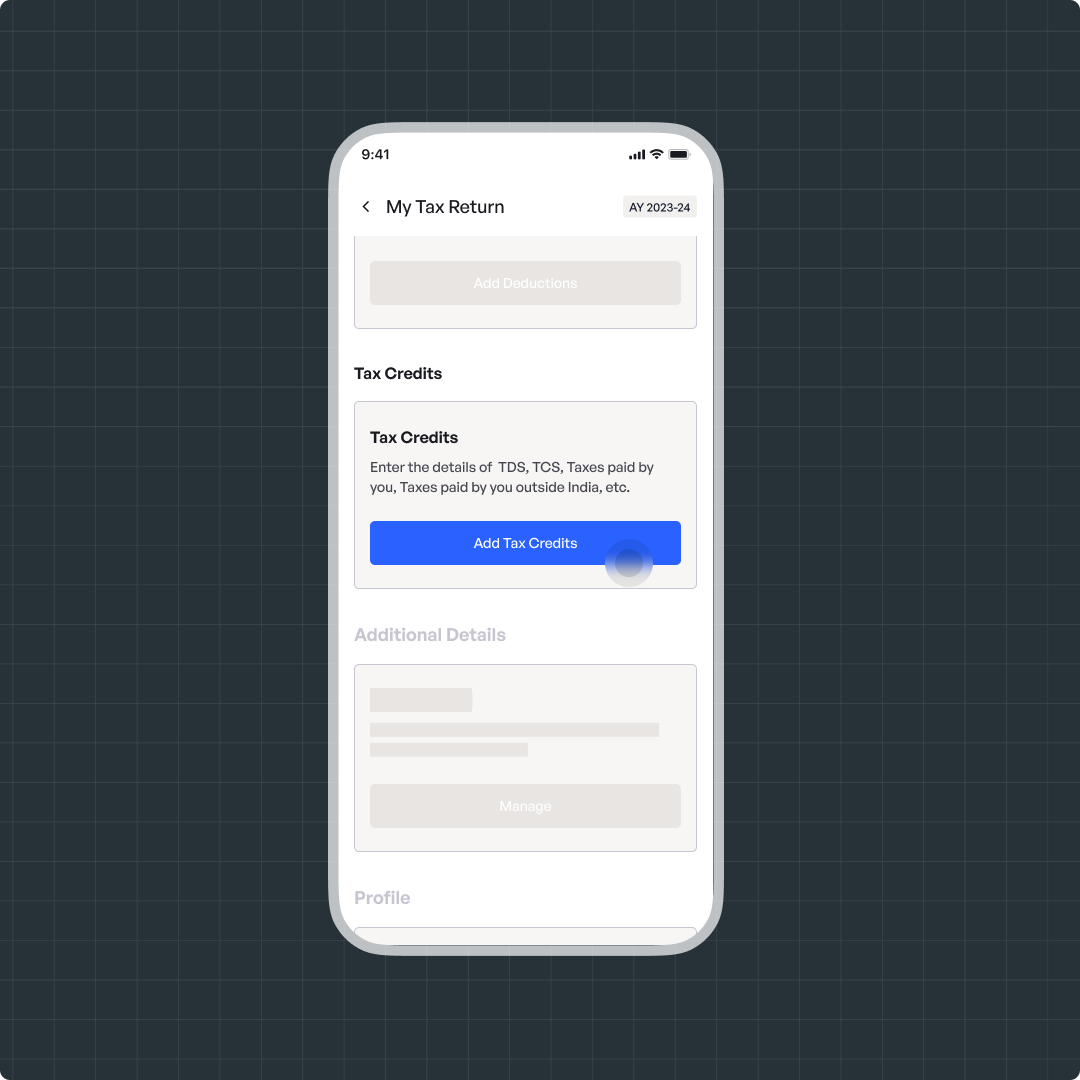
Navigate to File > Add Tax Credits
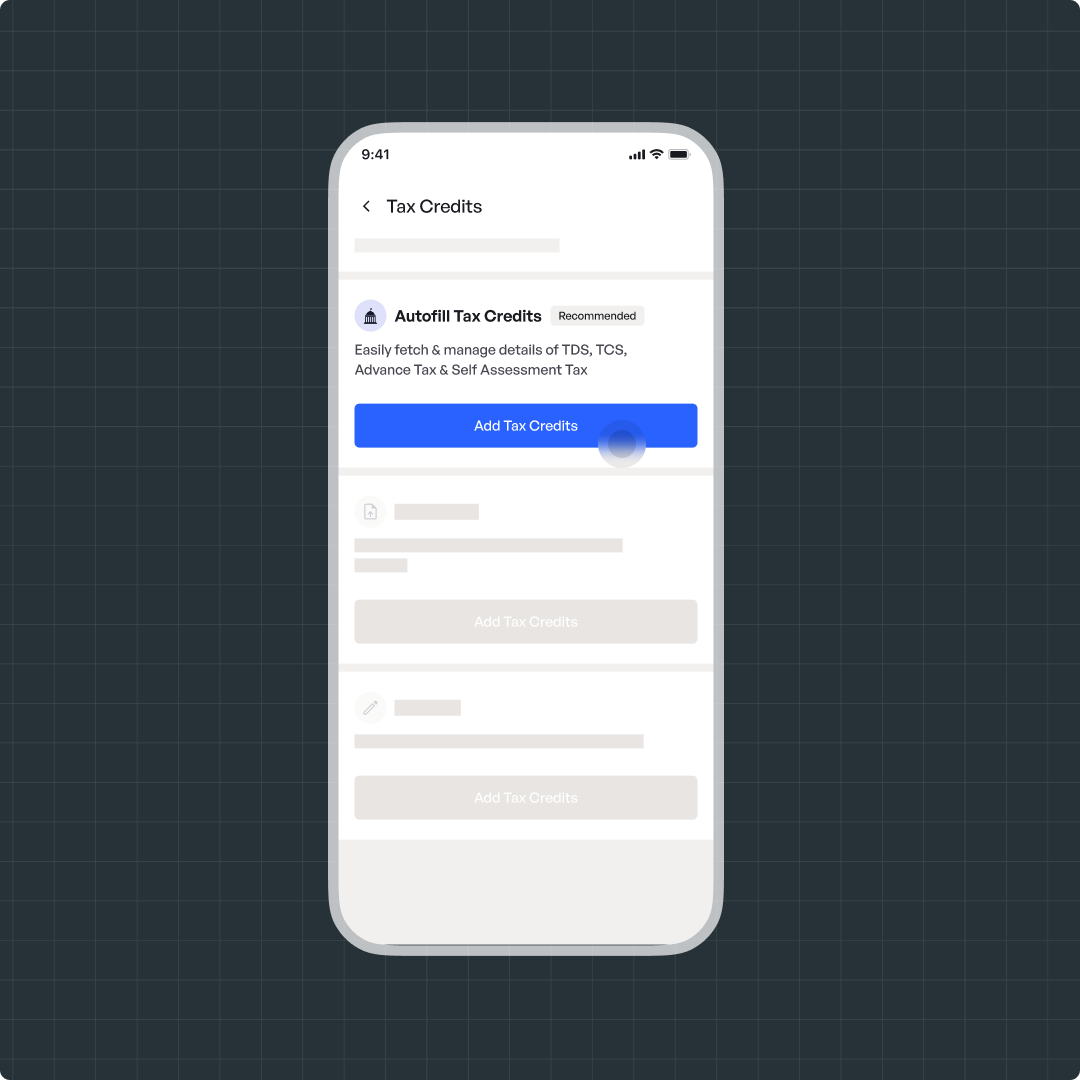
Click on Import from ITD using Autofill
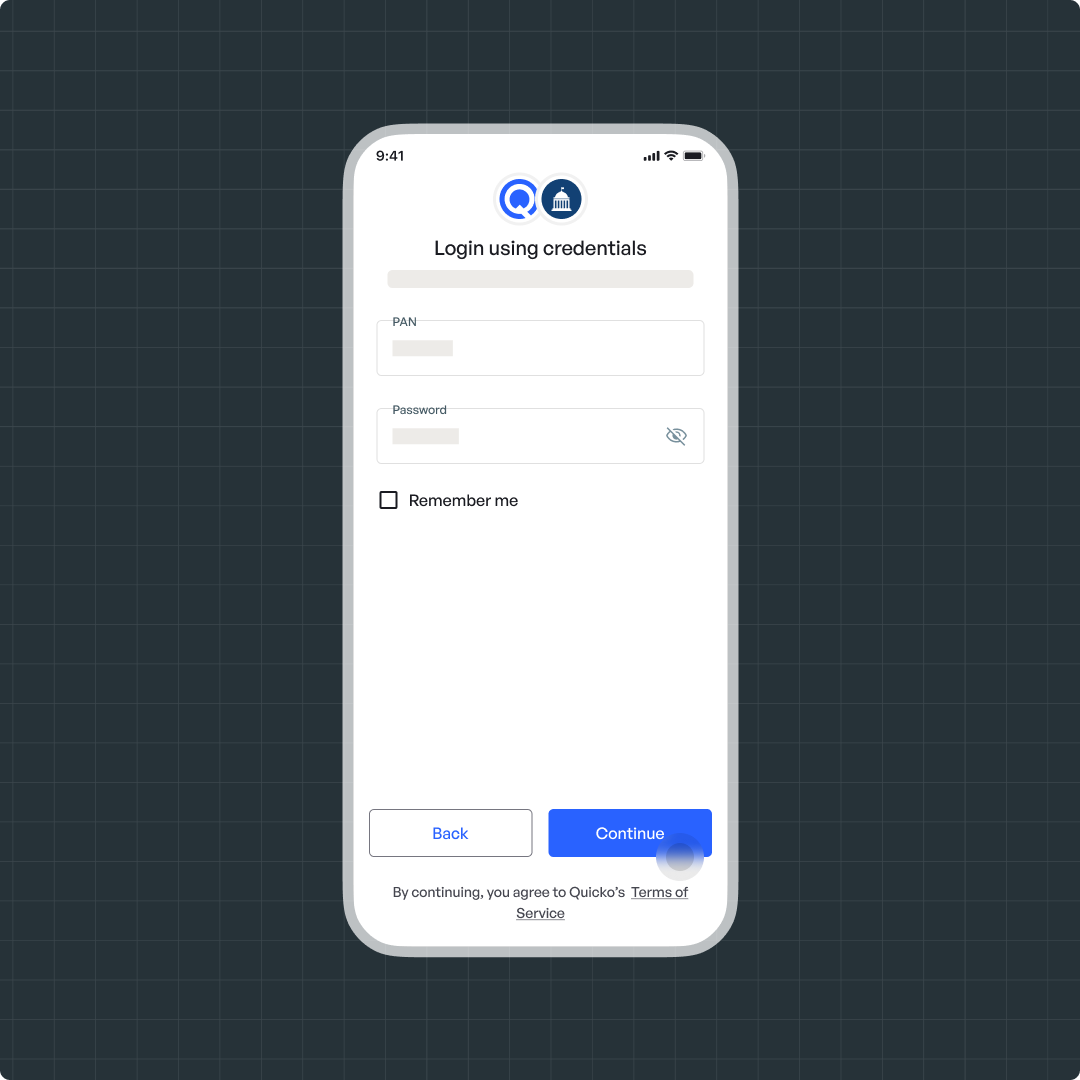
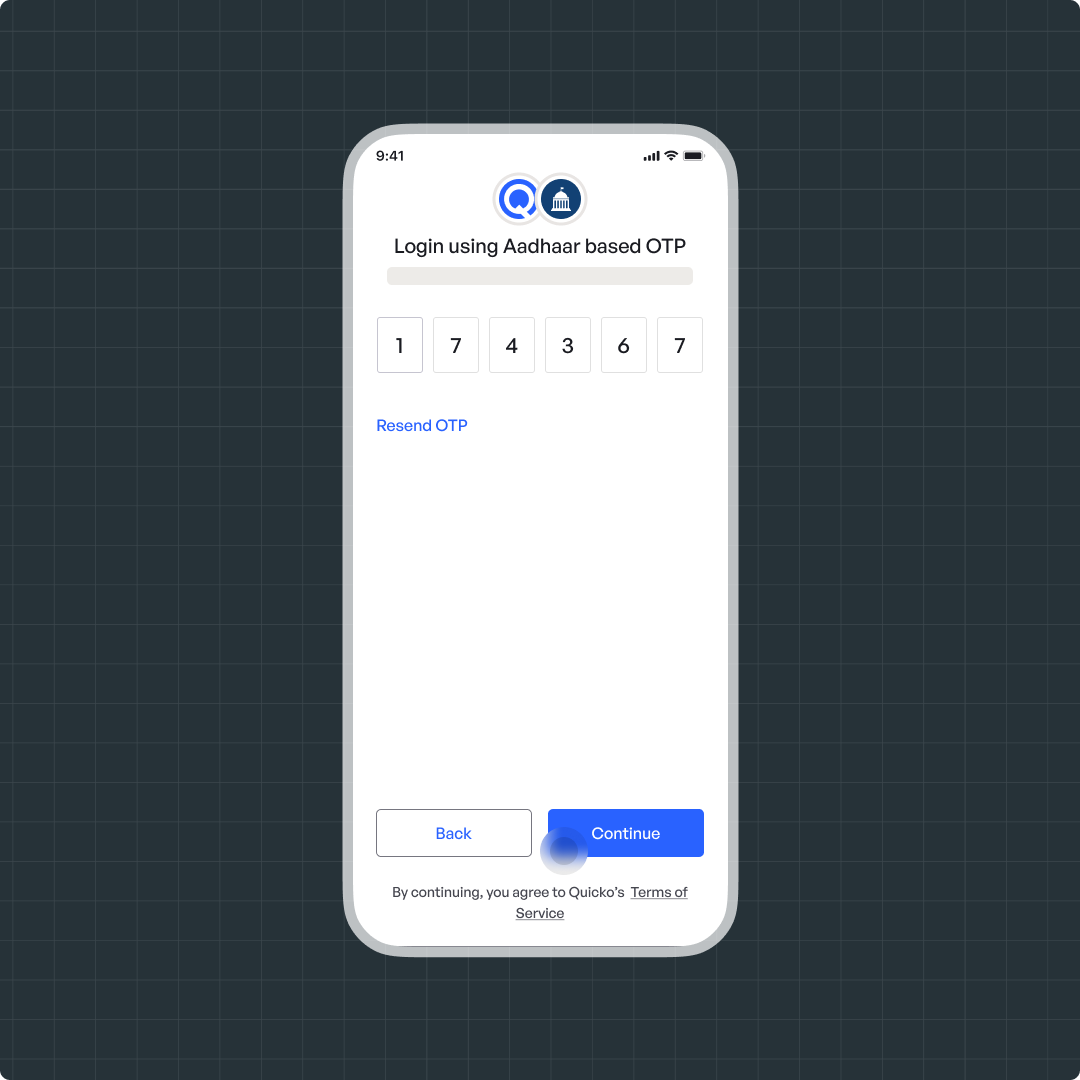
Connect to the Income Tax Department via Aadhaar OTP or login credentials.
Once connected, your TDS, TCS, Advance Tax, and Self-Assessment Tax will be automatically imported
Upload Form 26AS
Go to File > Add Tax Credits
Click on Upload Form 26AS
Attach your Form 26AS (downloaded from the Income Tax Portal
Review the auto-fetched credits and proceed
Add Manually
Navigate to File > Tax Credits
Click on Add Manually
Select the type of tax credit: TDS, TCS, Advance Tax, or Self-Assessment Tax
Fill in the required details such as TAN, Name of Deductor, Amount, etc.
Steps to update Tax Collectedted at Source
There are three ways to add the TCS:
Import from ITD using Autofill
- Navigate to File > Add Tax Credits
- Click on Import from ITD using Autofill
Connect to the Income Tax Department via Aadhaar OTP or login credentials.
Once connected, your TDS, TCS, Advance Tax, and Self-Assessment Tax will be automatically imported
- Navigate to File > Add Tax Credits
- Click on Import from ITD using Autofill
Connect to the Income Tax Department via Aadhaar OTP or login credentials.
Once connected, your TDS, TCS, Advance Tax, and Self-Assessment Tax will be automatically imported
Upload Form 26AS
Go to File > Add Tax Credits
- Click on Upload Form 26AS
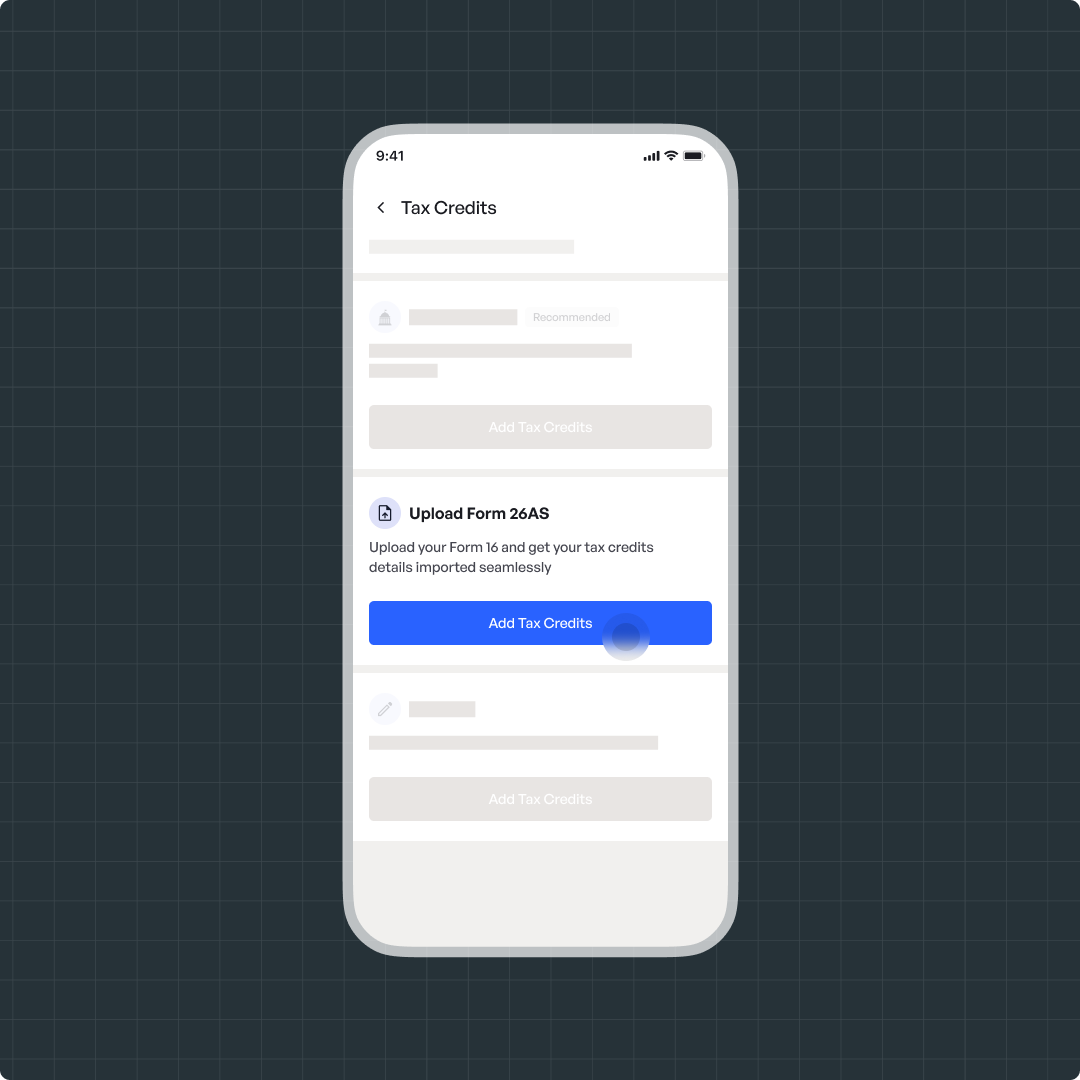
- Attach your Form 26AS (downloaded from the Income Tax Portal
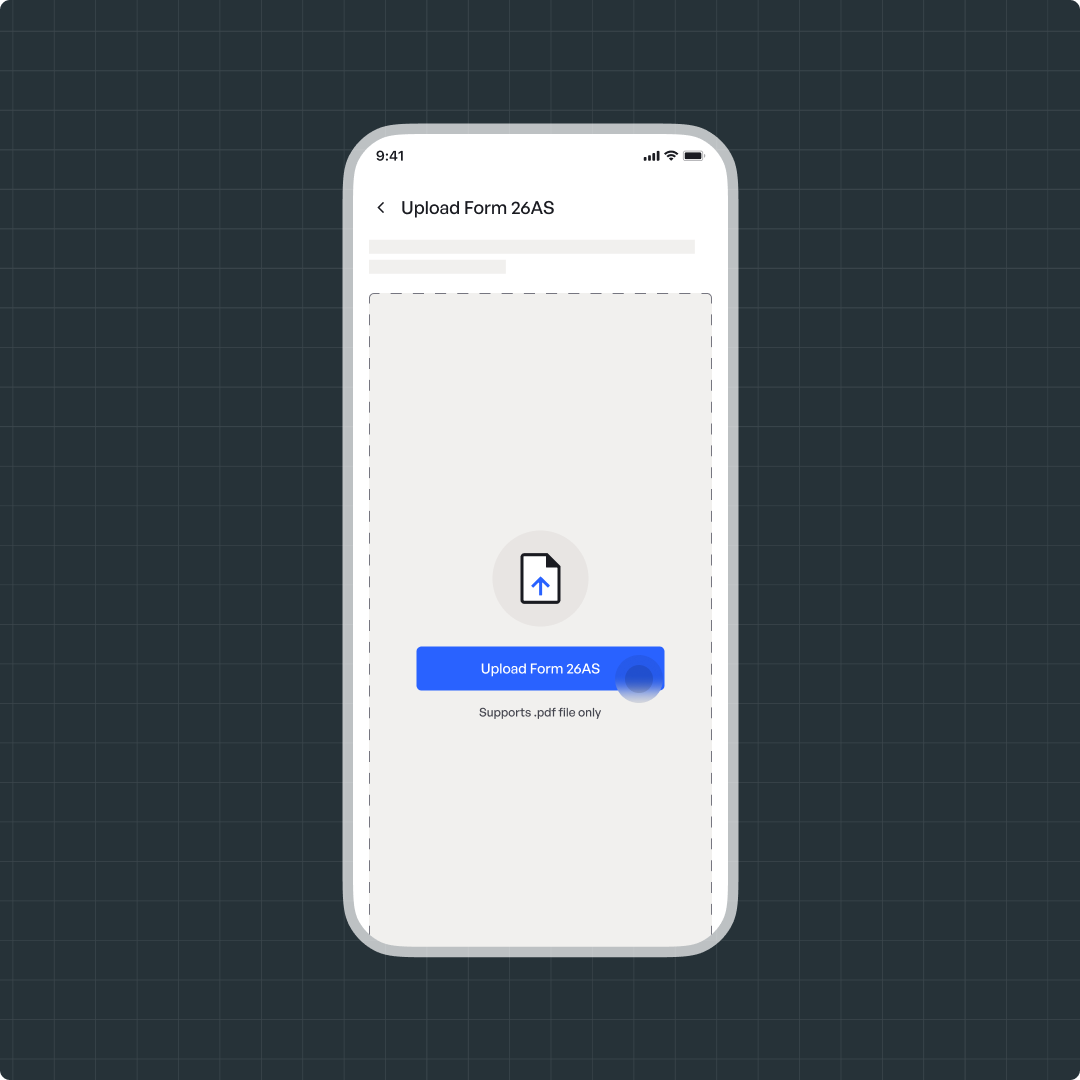
- Review the auto-fetched credits and proceed
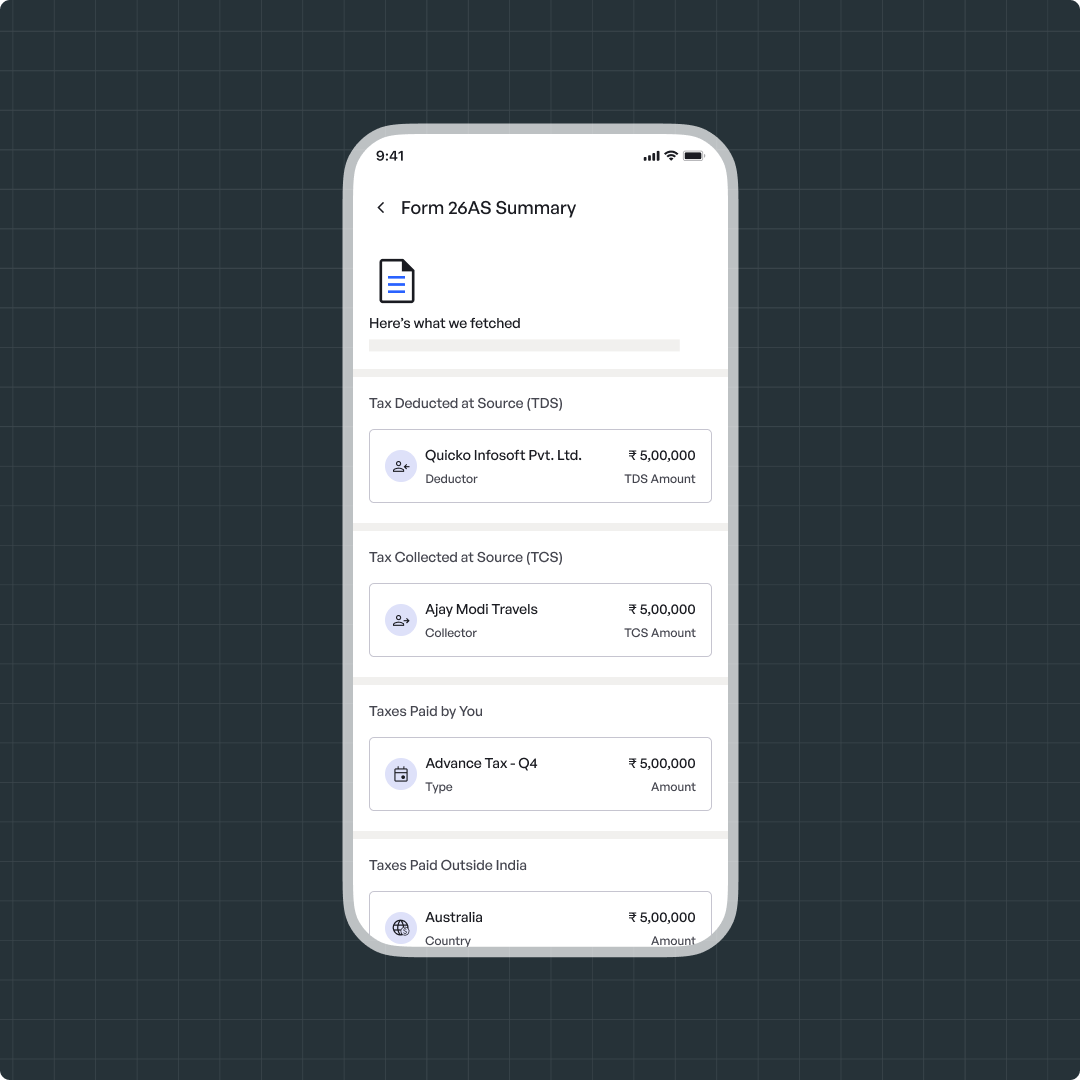
Go to File > Add Tax Credits
- Click on Upload Form 26AS
- Attach your Form 26AS (downloaded from the Income Tax Portal
- Review the auto-fetched credits and proceed
Add Manually
Navigate to File > Tax Credits
Click on Add Manually
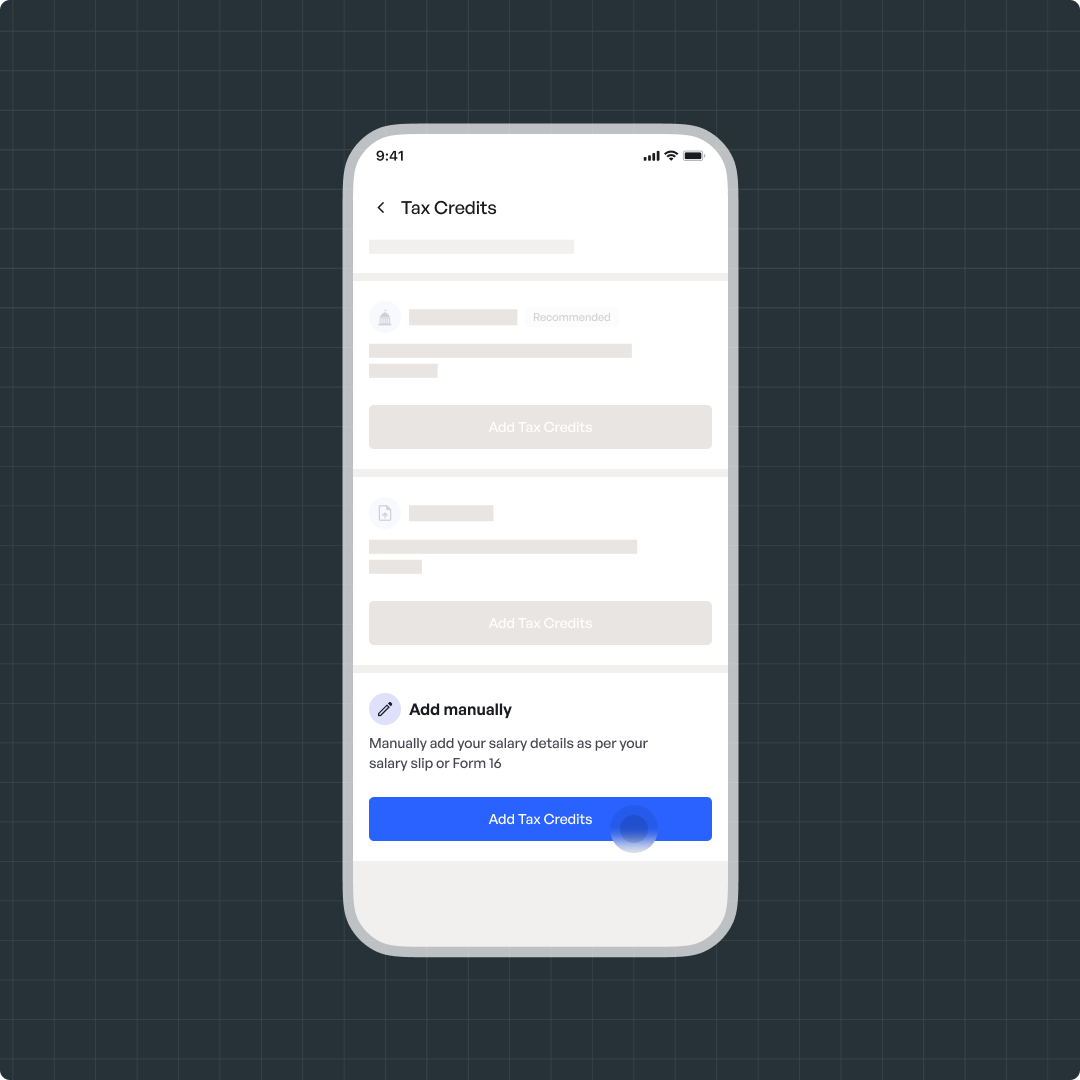
Select the type of tax credit: TDS, TCS, Advance Tax, or Self-Assessment Tax
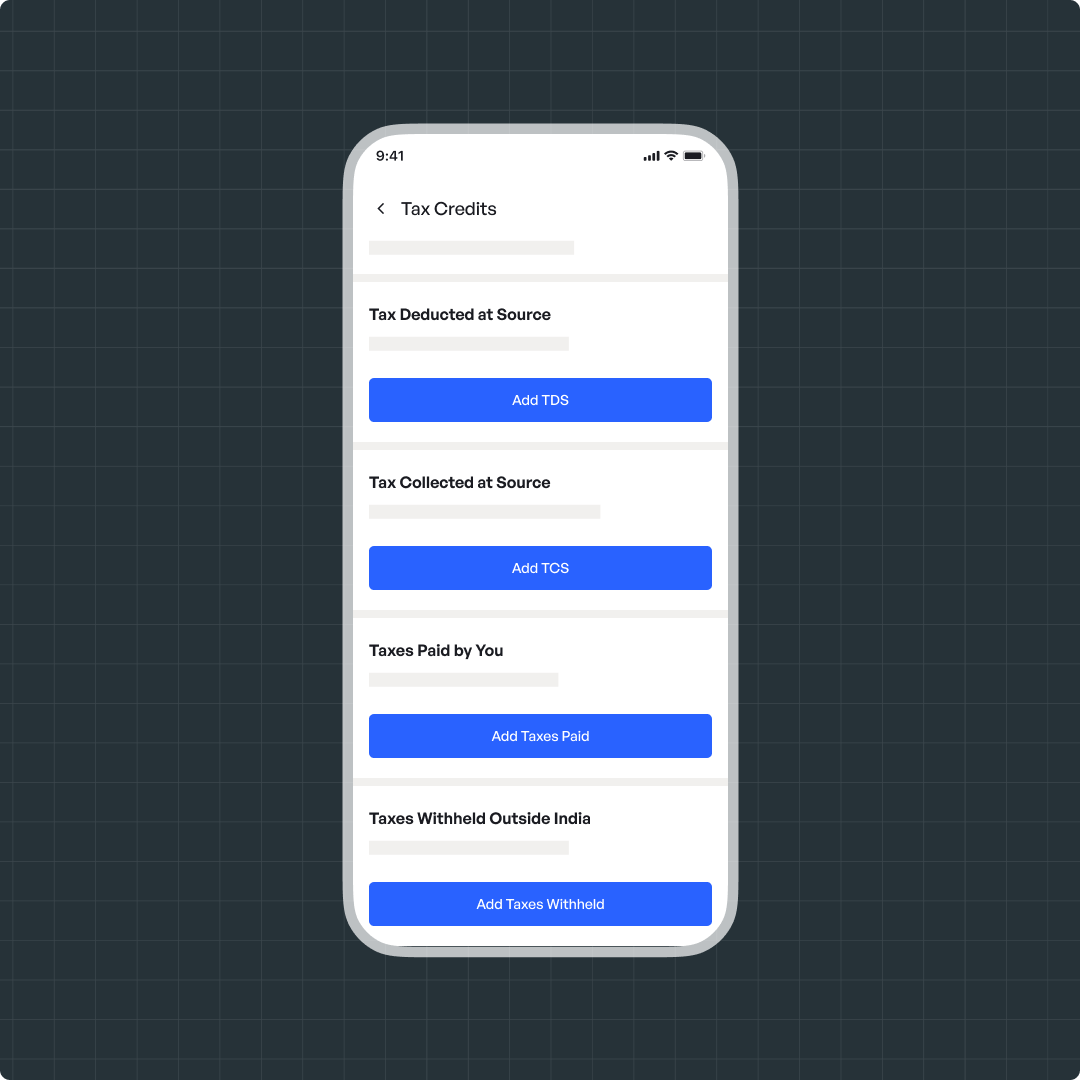
Fill in the required details such as TAN, Name of Deductor, Amount, etc.
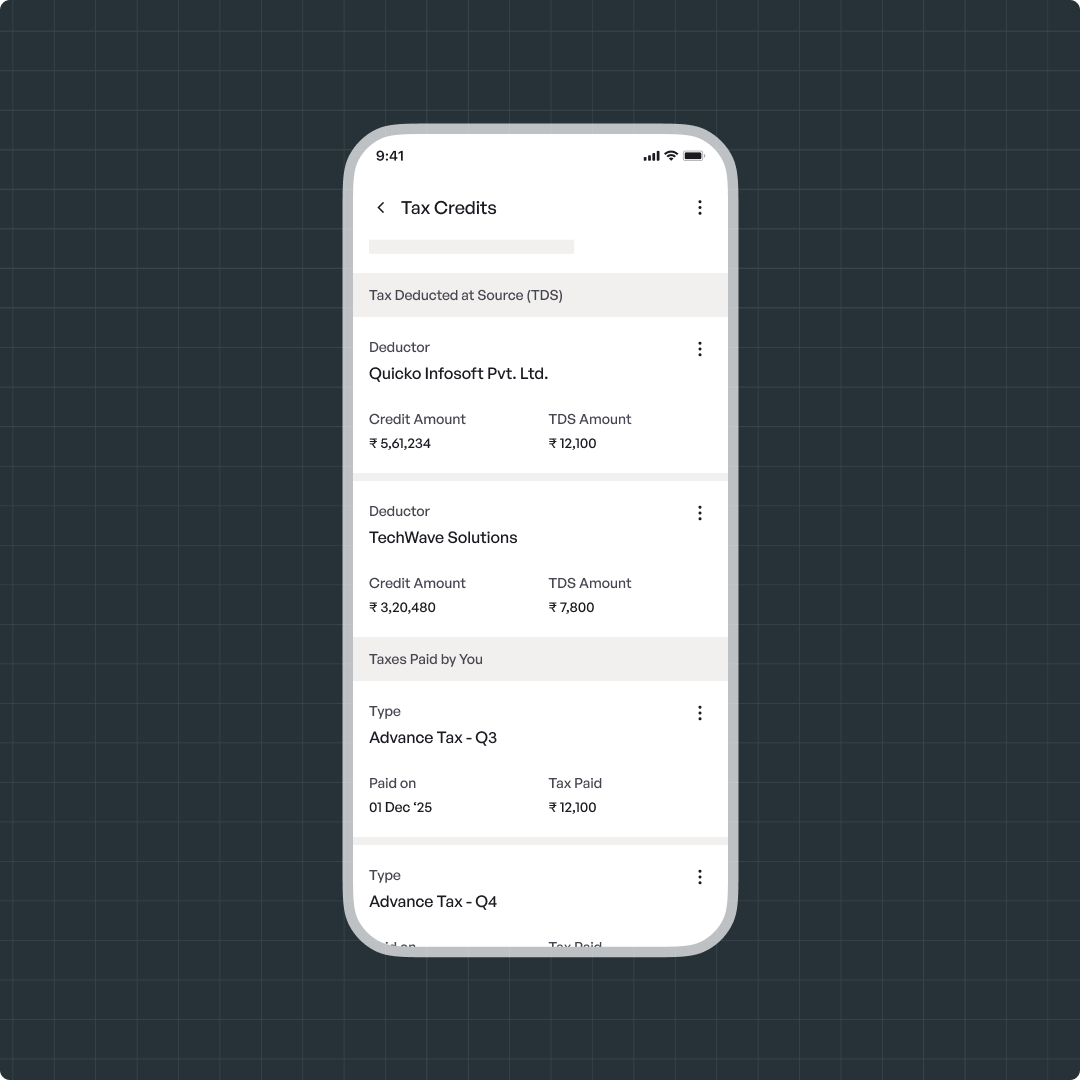
Navigate to File > Tax Credits
Click on Add Manually
Select the type of tax credit: TDS, TCS, Advance Tax, or Self-Assessment Tax
Fill in the required details such as TAN, Name of Deductor, Amount, etc.
Still Need Help?
Raise a ticket to get in touch with us.