Edit Profile Details
You can update your profile information such as your name, email address, and password from the Settings section. Keeping your profile details up to date helps ensure smooth access and account security.
Steps to Edit Profile Details
- Log In:
Sign in to your Cliq affiliate account to access your dashboard. - Open Settings:
Click on your profile icon in the top-right corner and select Settings. - Navigate to Profile:
Under Settings, ensure you are on the Profile tab. - Edit Details:
Click on Edit details to update your profile information. - Update Information:
You can modify the following details: - Email address
- First name
- Last name
- Password (by entering your current and new password)
Save Changes:
Click Save to apply the updated details to your account.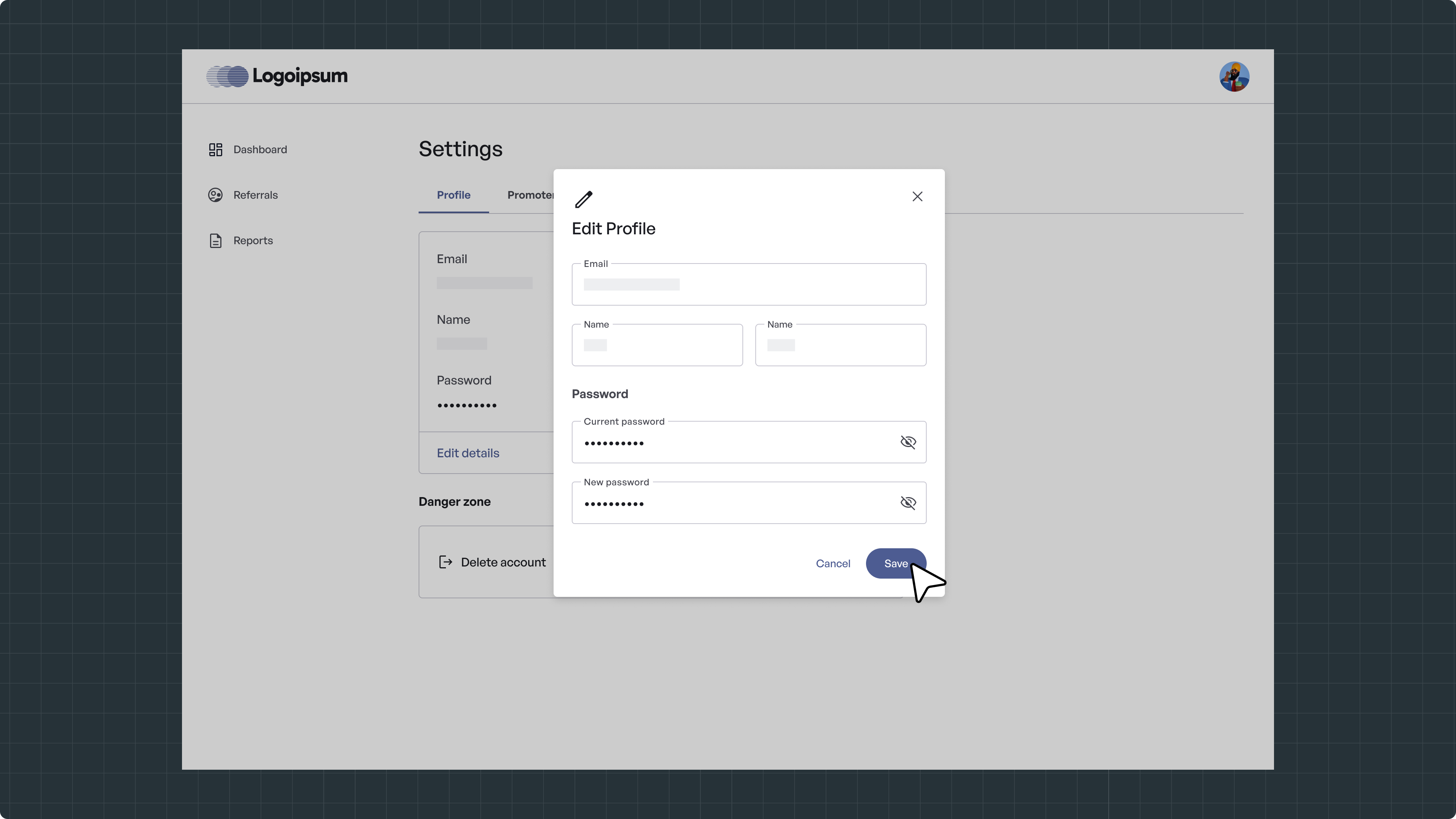
Click Save to apply the updated details to your account.
Things to Keep in Mind
-
You must enter your current password to set a new password.
-
Make sure your email address is correct, as it is used for account communication.
-
Changes take effect immediately after saving.