Report Form-10IA details in Tax Return
If you or your dependent has a specified disability like autism, cerebral palsy, or multiple disabilities, you may be eligible for a flat deduction under Section 80U or 80DD. To claim it, you’ll need to file Form 10-IA as proof.
This form must be certified by a recognised medical authority and submitted on the Income Tax Portal before filing your ITR under the old tax regime.
Follow this step-by-step guide to file it correctly:
Report Form-10IA details in tax return
Once filed, you’ll receive an acknowledgement number. You’ll need to enter this number while filing your ITR on Quicko.
Here’s how:
1. Go to Additional Details
2. Scroll down to Disclosure and click on Form Disclosures
3. Under Deduction Related, select Form 10-IA
4. Select for who the Form 10-IA was filed for
5. Enter the Acknowledgement Number > Save
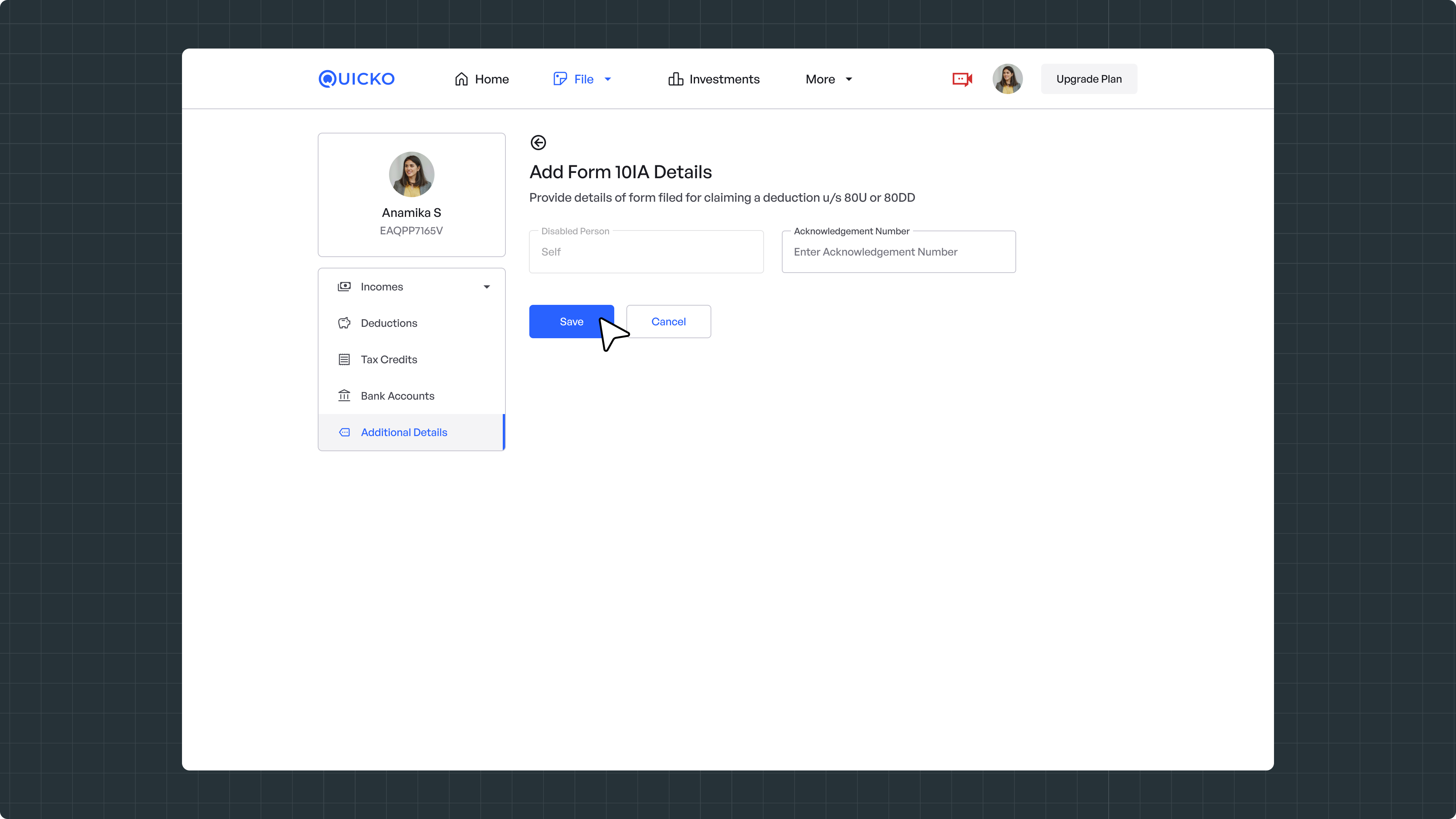
Your Form 10-IA is now successfully reported in your ITR.
Need Help?
Raise a ticket and our team will get back to you.