How to add Quicko as an E-return intermediary (ERI)?
An E-Return Intermediary (ERI) is a tax platform you’ve authorised to access your Income Tax Portal account and file your return on your behalf.
If you’ve connected a platform but no longer wish to use its services, you can easily remove it in a few simple steps on Income Tax Portal. Here’s the step-by-step guide
To set up an ERI in Quicko, simply follow these steps:
- Log in to Quicko
- Click on your Profile Icon > App Store
- 3. Go to Tax Department > Income Tax
4. Click Connect to link with the Income Tax Department
5. Select your preferred login method for the Income Tax Portal > Continue
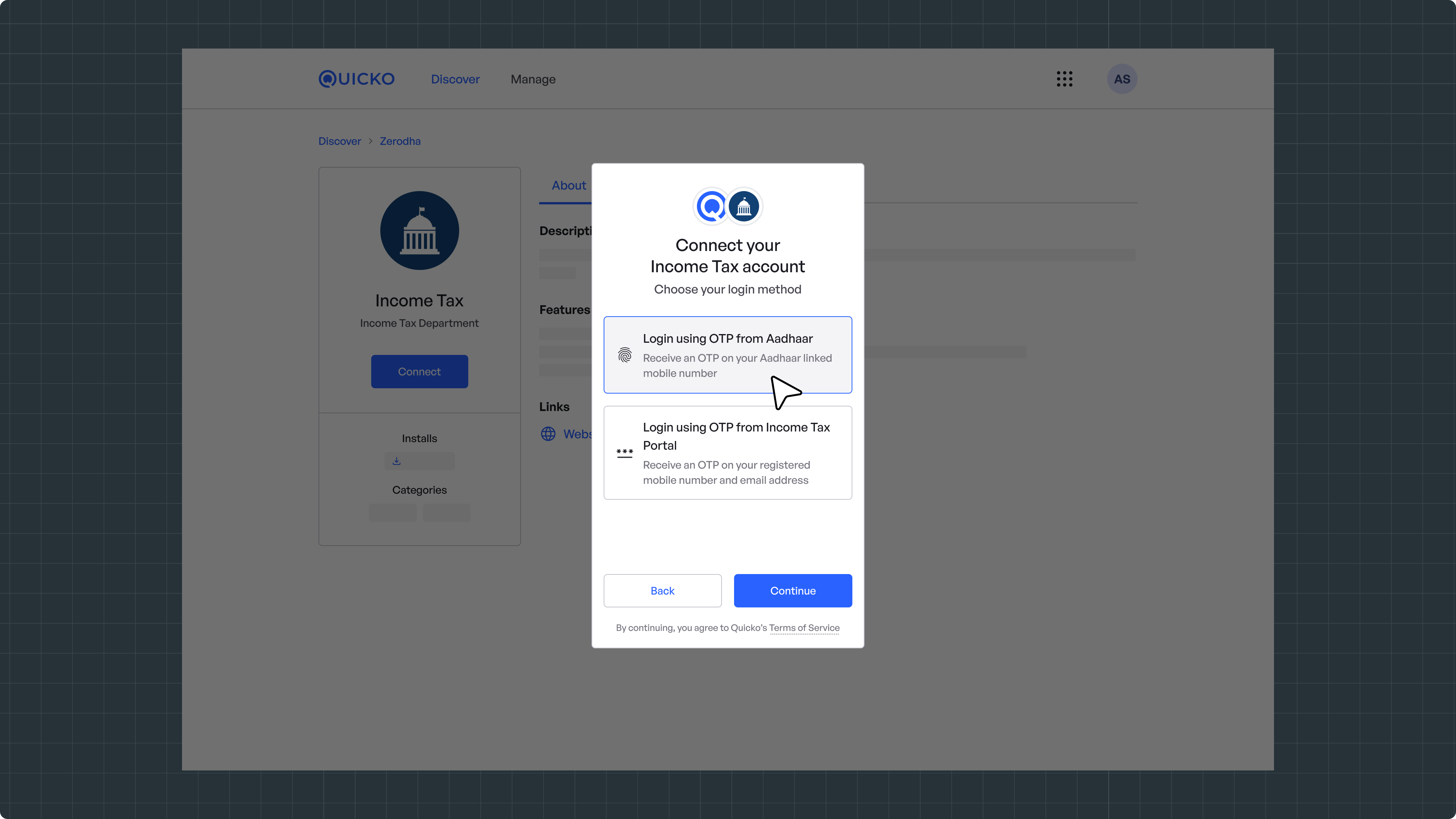
Once connected, Quicko will be added as your E-Return Intermediary (ERI), and you'll be able to prefill, file, and e-verify your ITR.
Need Help?
Raise a ticket to get in touch with us.